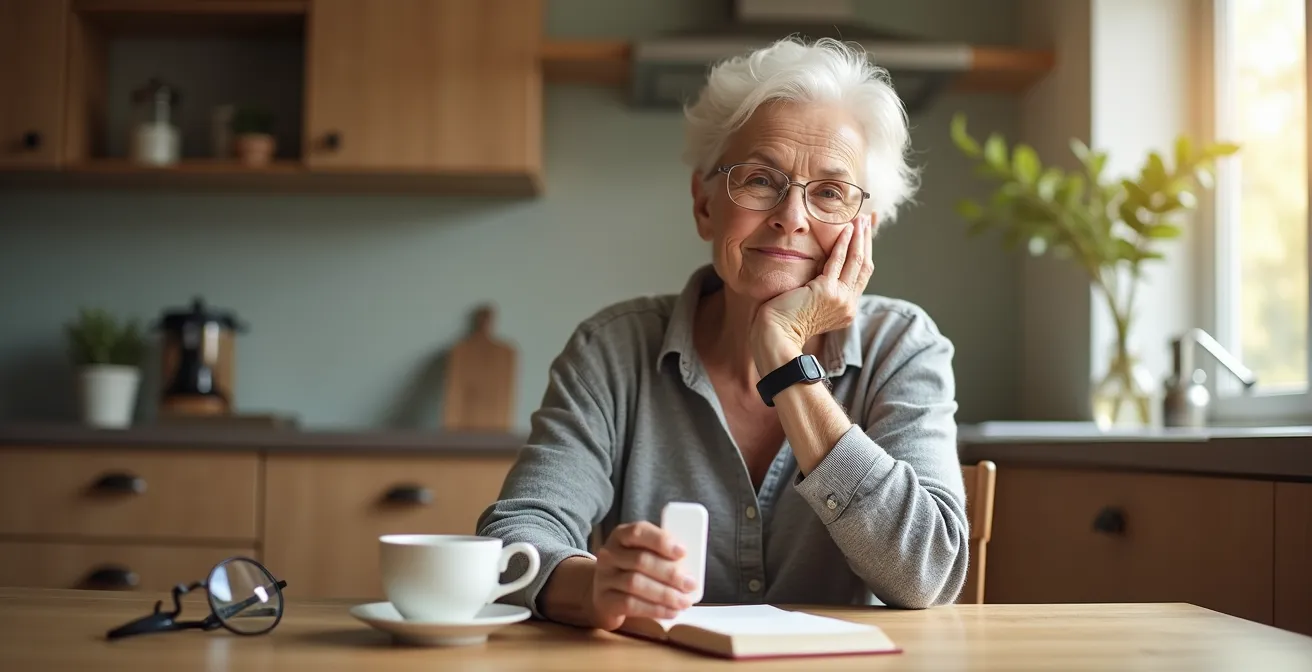
The resistance to wearing a medical alert device isn’t about forgetfulness; it’s a psychological battle against the perceived loss of independence.
- Modern designs like watches reduce the “patient stigma” and make the device a tool of empowerment, not a symbol of vulnerability.
- Understanding the system’s limitations (like fall detection accuracy and home access) transforms fear into a strategic plan for active risk management.
Recommendation: Stop seeing the alert button as a surrender. Start treating it as the command center of your personal safety system, a deliberate choice to maintain control over your environment and your independence.
That medical alert button, still in its box or sitting on the nightstand, represents a quiet conflict. It was purchased with the best intentions—for safety, for peace of mind. Yet, it remains unworn. The common explanation is simple forgetfulness or a belief that “it’s not for me, not yet.” But the truth is far more complex. The resistance is not practical; it is profoundly psychological. It’s tied to identity, control, and the deep-seated fear that wearing it is the first step toward becoming a patient, a person who is cared for rather than a person who is capable.
For decades, the narrative around these devices has been about decline and emergency. They have been marketed as a last resort for the frail. This article challenges that outdated perspective. We will not list reasons why you “should” wear it. Instead, we will deconstruct the psychological friction points—the specific, valid concerns that create this resistance. This is not about surrendering your independence. It’s about seizing it, using technology not as a crutch, but as a strategic tool for environmental control and risk neutralization.
We will explore how the right design can dismantle stigma, how understanding the technology’s limits actually empowers you, and how to build a complete safety system where the button is just one component. This is a guide to transforming the alert device from a symbol of vulnerability into an instrument of continued autonomy.
Summary: Reclaiming Control: A Strategic Guide to Your Medical Alert System
- Necklace or Watch: Which Medical Alert Style Reduces the “Patient Stigma”?
- Garden or Driveway: How to Test If Your Alert Works at the Mailbox?
- Accelerometer Sensitivity: Why Your Device Might Not Call Help If You Slide Instead of Drop?
- Ambulance Fees: What Happens If You Accidentally Press the Button and Don’t Cancel?
- Why a Medical Alert Is Useless If the EMTs Can’t Break Down Your Steel Door?
- Why You Need Connected Smoke Detectors If You Have Hearing Loss?
- How to Spot the “Invisible” Isolated Neighbor Who Never Asks for Help?
- Smart Locks or Keypads: Which Is Easier to Use with Arthritis Hands?
Necklace or Watch: Which Medical Alert Style Reduces the “Patient Stigma”?
The single greatest barrier to wearing a medical alert device is the “patient stigma.” Traditional pendants, often large and clinical-looking, scream “I am vulnerable.” This visual cue can erode a person’s sense of self, making them feel like a patient in their own home. It’s a constant, visible reminder of a future one is actively trying to avoid. The decision to leave it on the nightstand is not forgetfulness; it’s an act of identity preservation. To overcome this, the device must integrate into one’s life, not define it.
This is where modern design becomes a crucial part of your safety strategy. The industry has evolved significantly, recognizing that aesthetics are not a luxury but a core component of user adoption. The most effective way to neutralize psychological friction is to choose a device that doesn’t look like one. Medical alert watches, for example, are designed to be indistinguishable from popular consumer smartwatches. They tell time, track steps, and blend seamlessly with everyday attire. According to research into modern smartwatch designs, these devices help seniors preserve privacy while providing peace of mind through discreet functionality.
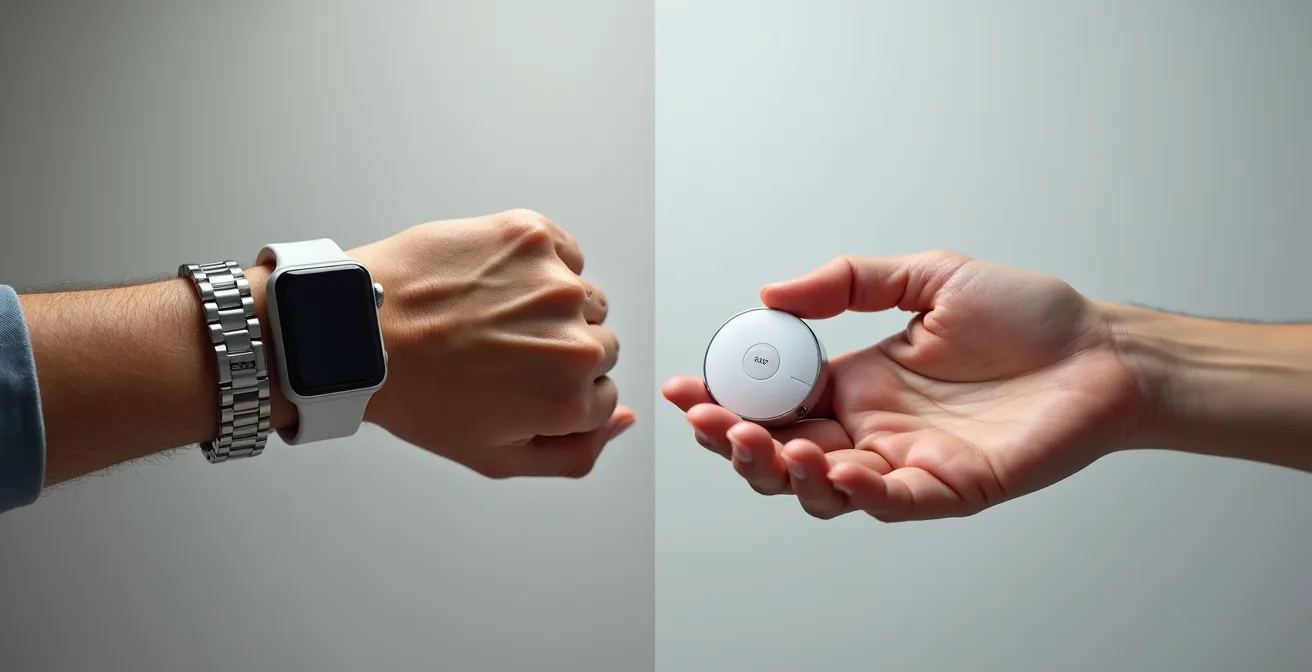
As this comparison shows, the choice is not merely between a necklace and a watch. It’s a strategic decision between a device that announces vulnerability and one that projects modernity and control. By choosing a style that aligns with your personal identity, you’re not just selecting a product; you’re making a conscious statement that you are in charge of your safety tools, not the other way around. This simple switch can be the single most powerful step in making the device a consistent part of your daily routine.
Garden or Driveway: How to Test If Your Alert Works at the Mailbox?
A deep-seated reason for not wearing an alert device is a lack of trust in its capability. “Will it even work out in the garden?” This doubt creates an excuse to leave it behind. Building confidence in the system isn’t a passive process; it requires active participation. Testing the device is not a chore; it is an act of environmental control, where you methodically map out and confirm your “safety zone.” This process transforms you from a potential victim of circumstance into the active manager of your own contingency plan. It replaces fear of the unknown with the certainty of a well-tested system.
A “graduated exposure” test is the most effective way to build this trust. Instead of a single, random test, you perform a series of planned tests that systematically expand the perimeter. This builds confidence step-by-step, proving the system’s reliability in every area of your home and property where you spend time. The goal is to eliminate any doubt, so you feel secure whether you’re in the kitchen, the garage, or at the end of the driveway.
Your Confidence-Building Test Plan: A Step-by-Step Guide
- Baseline Check: Test the device inside, near its base station, to confirm basic functionality and your comfort with the process.
- Interior Wall Test: Move to an adjacent room and test again. This verifies the signal strength can penetrate interior walls.
- Entry Point Test: Test at your front and back doors to ensure coverage at all primary exit and entry points.
- Vehicle Test: Walk to your driveway and test from inside your car. This confirms coverage in a common transition area.
- Perimeter Test: Proceed to your mailbox or the furthest point on your property where you might need assistance. Most devices work up to 1,000 feet from the base station.
Finally, schedule a recurring monthly test in your calendar. This simple habit maintains your confidence and ensures the system remains in perfect working order. As one user shared about their mother’s experience, the peace of mind is invaluable: “We really appreciated the quick response of EMS when neither my husband or myself were available when mom had a ‘soft’ fall and couldn’t get up.” Trusting the system begins with proving to yourself that it will be there when you need it most, no matter where you are.
Accelerometer Sensitivity: Why Your Device Might Not Call Help If You Slide Instead of Drop?
One of the most powerful features marketed today is automatic fall detection. This has created a dangerous misconception: that the device is a magical safety net that will always know when you fall. When it doesn’t trigger during a slow slide or a controlled slump, it can shatter trust in the entire system. Understanding the “why” behind this limitation is critical. It’s not a flaw; it’s physics. This knowledge shifts your role from a passive wearer to an informed operator who knows exactly when and how to use the primary tool: the help button.
As a technical expert from Medical Care Alert explains, the technology is highly calibrated but not infallible:
Fall detection sensors and algorithms are calibrated to look for fall patterns which include speed, distance, angle, motion after the fall, and combinations of those patterns. As a result, fall detection devices are never considered to have a 100% guaranteed success rate. If you were to slump out of a chair, you would be on the floor but there would likely not be enough motion to set off the fall detection sensors.
– Medical Care Alert Technical Support, FAQ on Fall Detection Systems
These systems are designed to detect the distinct G-force spike of a sudden, hard fall—like fainting or tripping. A slow, sliding fall from a chair or bed lacks this sharp acceleration and is often indistinguishable from the motion of simply sitting down on the floor intentionally. Furthermore, the technology is deliberately calibrated to avoid excessive false alarms, which can be frequent. In fact, some research on commercial fall detection systems shows that a high percentage of automated alerts can be false alarms triggered by daily activities. This makes the manual button push your most reliable tool.
This table breaks down why certain falls are more likely to be detected than others, empowering you with the knowledge to act decisively.
| Type of Fall | Detection Rate | Why It Works/Doesn’t Work |
|---|---|---|
| Sudden drop (standing to floor) | High (80-95%) | Clear acceleration pattern: free-fall followed by impact |
| Slow slide from chair | Low (20-40%) | Gradual movement lacks distinctive G-force spike |
| Trip and fall forward | Moderate (60-75%) | Rotational movement detected by gyroscope |
| Fainting/passing out | High (75-90%) | Rapid vertical acceleration change detected |
Fall detection should be viewed as a valuable secondary backup, not the primary safety feature. Your greatest power lies in understanding this and being prepared to press the button yourself in any situation where you need help and cannot get up, regardless of how you got to the floor.
Ambulance Fees: What Happens If You Accidentally Press the Button and Don’t Cancel?
A pervasive fear that keeps the alert button on the nightstand is the worry of “being a bother” or, worse, incurring hefty fees for a false alarm. What if the cat lies on it? What if I press it while sleeping? This anxiety is a significant point of psychological friction. However, this fear is largely unfounded and based on a misunderstanding of how reputable monitoring services operate. In reality, these companies view false alarms not as a nuisance, but as a positive sign that the system is working and, most importantly, that you are wearing it.
When you accidentally press the button, you will not be met with frustration or a bill. Within seconds, a calm, professional operator’s voice will come through the base station’s speaker. They will identify themselves and their company and ask if everything is okay. Your role is simple: state clearly that it was an accident and you do not need assistance. The operator will confirm you are alright, often with a reassuring “no problem, we’re glad to know you’re safe,” and then end the call. That is the entire process.
Reputable medical alert companies do not charge for accidental activations. In fact, most high-quality services explicitly offer unlimited false alarms as a standard feature. They build this into their business model because they understand that confidence is key to consistent use. This policy is often paired with user-friendly contracts. Many leading medical alert providers offer services with no long-term contracts and provide refunds for any unused months if the service is cancelled. This removes the financial risk and encourages you to get comfortable with the system. So, press the button. Test it monthly. An accidental activation is simply a successful, free test of the entire system.
Why a Medical Alert Is Useless If the EMTs Can’t Break Down Your Steel Door?
Pressing the button is only the first step. The ultimate goal is getting help inside your home quickly and safely. A major, often overlooked, flaw in a personal safety plan is a locked or reinforced door that first responders cannot bypass. Imagining emergency medical technicians (EMTs) having to break down a door or shatter a window causes significant anxiety—both due to the potential cost of repairs and the violent nature of the entry. This weak link in the chain of response can make the entire system feel pointless, providing another reason to question its value.
A complete contingency plan must include a strategy for non-destructive emergency access. The most effective and widely adopted solution is a contractor-grade lockbox. This is a small, highly secure metal box that contains a spare key to your home. It is installed in a discreet but accessible location outside, and its combination code is given only to your medical alert monitoring service. When you call for help, the monitoring center operator dispatches emergency services and simultaneously provides them with the lockbox code. This simple tool is a core part of an effective safety system, a solution that allows quick entry without property damage, saving critical time when every second counts.
Creating your emergency access plan is a proactive step that puts you in full control of the entire response process. Your main options include:
- Contractor Lockbox: The most secure and reliable option. These cost around $30-$45, hold multiple keys, and do not rely on power or Wi-Fi.
- Smart Lock: A higher-tech option that allows for remote unlocking via an app. This is convenient for family access but requires reliable power, internet, and someone to operate it during an emergency.
- Trusted Neighbor with Key: A free but less reliable option, as it depends entirely on your neighbor being home, available, and able to respond immediately.
By installing a lockbox and registering the code with your monitoring center, you are closing a critical loophole in your safety net. You are ensuring that help can arrive not just at your door, but through it, quickly and efficiently.
Why You Need Connected Smoke Detectors If You Have Hearing Loss?
The concept of a medical alert button is often narrowly focused on a single risk: a fall. This limited view fails to capture the true potential of modern safety systems. A truly effective contingency plan protects against a spectrum of risks, including those you may not be able to react to. For individuals with hearing loss or those who are heavy sleepers, a traditional smoke or carbon monoxide (CO) detector is dangerously insufficient. You cannot press a button for a threat you are not aware of. This is where the alert system evolves from a simple button to a comprehensive home safety hub.
Modern medical alert systems can integrate with connected smoke and CO detectors. When these specialized detectors sense a threat, they don’t just sound a local alarm; they automatically trigger a signal to the 24/7 monitoring center. An operator is immediately alerted to the fire or CO emergency at your address and can dispatch the fire department, even if you are asleep, unconscious, or unable to hear the alarm. This proactive protection answers the critical question: “What happens if there’s a problem and I can’t press the button?”
This integration transforms the medical alert from a reactive device into a proactive one. It becomes the central nervous system for your home’s safety, constantly monitoring for multiple threats. This shift in perspective is powerful. The system is no longer just “a fall button” but a 24/7 safety net that guards against fire, gas leaks, and medical emergencies. This comprehensive approach provides a deeper sense of security, and as one 2025 survey shows, nearly half of seniors feel safer while using such assistive technologies. It reinforces your role as the manager of your home’s safety, having put in place a system that protects you even when you can’t protect yourself.
How to Spot the “Invisible” Isolated Neighbor Who Never Asks for Help?
Often, the person we are most worried about is not a neighbor, but ourselves. The “invisible” individual who prides themselves on self-reliance and never asks for help is a reflection of a deeply held value in many of us. We spend a lifetime building independence, and any tool that seems to threaten it is met with fierce resistance. This resistance is rooted in a fear of being perceived as weak or a burden. It’s the voice that says, “I’ve managed this long, I don’t need help now.” Recognizing this internal narrative is the first step to overcoming it.
This mindset is precisely what keeps the alert button on the nightstand. As the Medical Guardian team notes, “Despite these positives, many older adults resist using medical alert devices due to shame or fear of losing their self-reliance.” The solution is not to fight this desire for independence, but to reframe the tool as a way to enhance it. This was the perspective of Bill, a former fire captain with 33 years of professional experience in risk management, when considering a system for his own mother:
My partner Bill, a former fire captain with 33 years of experience, picked a medical alert system for his mother Doris who lived alone. He was worried she would take the pendant off, so they included an automatic fall detection device in the bathroom where she was most likely to remove it. The system allowed the call center to check in on her, maintaining her independence while providing family peace of mind.
– Family member’s perspective
A professional risk manager sees the alert system not as a symbol of weakness, but as a smart, proactive strategy. It’s a contingency plan. Just as a fire captain ensures his station has backup generators and multiple water sources, he ensures his family has a backup system for personal safety. Adopting this expert mindset is empowering. Wearing the device is not an admission of frailty; it is a declaration of foresight. It’s a strategic choice made from a position of strength to ensure that a single, unpredictable event does not result in a catastrophic loss of the very independence you’ve worked so hard to maintain.
Key takeaways
- Resistance to medical alerts is psychological, driven by a fear of losing independence, not just forgetfulness.
- Choosing discreet, modern designs (like watches) and understanding the technology’s limits are key to overcoming stigma and building trust.
- An alert button is most effective as part of a complete safety system, including plans for emergency home access and connected threat detectors (smoke/CO).
Smart Locks or Keypads: Which Is Easier to Use with Arthritis Hands?
The final component of your environmental control plan is ensuring you can operate it with ease. A safety system that you struggle to use is no system at all. For individuals with arthritis, carpal tunnel, or reduced hand strength, the simple act of turning a key or pressing small buttons on a lockbox can be a significant barrier. This is another point of “psychological friction” where a practical difficulty can lead to abandoning the entire safety protocol. Choosing the right access solution is not a minor detail; it is essential for maintaining the integrity of your whole system.
Your choice of lock or lockbox should be tailored to your physical needs, ensuring you can operate it comfortably and reliably. A solution that causes pain or frustration will not be used consistently. The goal is to find a balance between security, accessibility for first responders, and ease of personal use. Fortunately, there are multiple options, each with distinct advantages and disadvantages for those with dexterity challenges.
To make an informed decision, it’s helpful to compare the options directly, as detailed in a comparative analysis of access solutions for seniors. This allows you to select the tool that best fits your specific situation, ensuring your safety plan is not compromised by a difficult-to-use component.
| Solution Type | Ease for Arthritic Hands | Cost | Pros | Cons |
|---|---|---|---|---|
| Traditional Lockbox | Moderate | $30-45 one-time | 10,000 code combinations, no power needed, weather resistant | Small buttons may be difficult to press |
| Smart Lock (App-based) | Easy | $150-300 + batteries | Remote access for family, no physical manipulation needed | Requires smartphone, Wi-Fi, regular battery changes |
| Keypad Lock | Moderate-Difficult | $75-150 | Backlit buttons, tactile feedback, no smartphone needed | Requires precise button pressing, may be challenging in cold weather |
| Voice-Activated Smart Lock | Very Easy | $200-400 | Hands-free operation, ideal for severe arthritis | Requires smart home setup, privacy concerns |
Choosing the right lock is the final step in asserting control over your environment. It’s an acknowledgment that true independence comes from smartly adapting your tools to your needs, not from struggling with a system that doesn’t work for you. It ensures your home is secure yet accessible, putting the finishing touch on a comprehensive and personalized safety strategy.
Frequently Asked Questions About Why 80% of Seniors Refuse to Wear Their Alert Button Even After Buying It?
How are false alarms handled by medical alert companies?
It’s not uncommon for people to push the help button accidentally. Most quality services offer unlimited false alarms as a standard feature with no negative consequences or fees.
What happens when I accidentally press the button?
Within seconds, a voice from the base station will identify the operator and company, asking if everything is okay. You simply say it was an accident, and they respond positively, confirming you’re alright before ending the call.
Will I be charged for accidental activations?
Reputable medical alert companies do not charge for accidental button presses. They view false alarms as proof the user is wearing the device and the system is working perfectly.