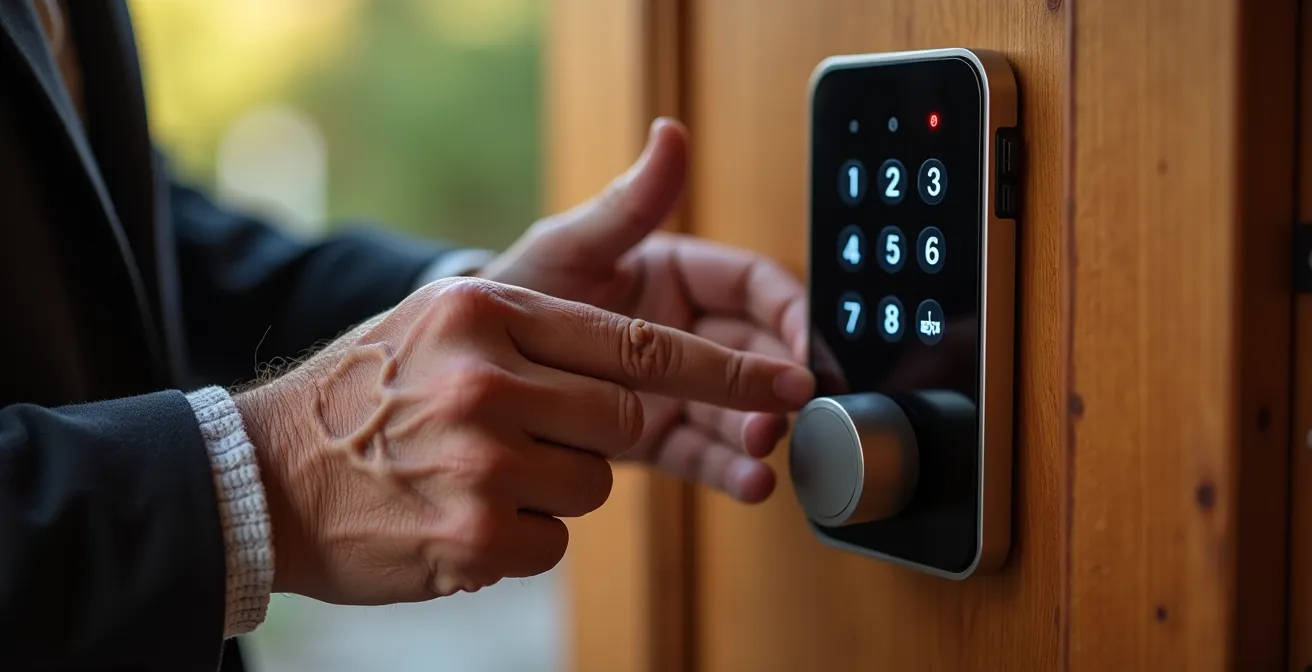
The best keyless entry system for arthritis isn’t the one with the most features, but the one demanding the least physical and mental effort—what we call low “interaction-cost.”
- Prioritize large, tactile buttons over sensitive touchscreens that require precise finger contact and offer no physical feedback.
- Look for “fail-safe” designs with physical key backups and the ability to function during a power or Wi-Fi outage.
Recommendation: Evaluate any device by asking: “Can I use its most basic functions, like locking and unlocking, without a smartphone?” If the answer is no, it may add complexity rather than solve a problem.
For anyone living with arthritis, the simple act of turning a key can transform from a thoughtless routine into a daily point of pain and frustration. The promise of keyless entry, offered by smart locks and electronic keypads, seems like an obvious solution. The market is flooded with options touting convenience, from fingerprint scanners to voice-activated commands. But this focus on high-tech features often misses the most crucial point for a user with limited hand dexterity: ergonomics and ease of use.
The common advice is to simply “go keyless,” but this overlooks the new challenges these devices can introduce. A slick touchscreen keypad might look modern, but it provides no tactile feedback for stiff fingers. A feature-rich smart lock might be a marvel of engineering, but if it’s entirely dependent on a fiddly smartphone app, it can become a source of technical anxiety. The real challenge isn’t abandoning the key; it’s finding a replacement that doesn’t trade a physical struggle for a cognitive or technical one.
This is where the principle of interaction-cost ergonomics becomes essential. The right solution is not about having the “smartest” home, but the most considerate one. It’s a system that minimizes physical effort, reduces mental load, and remains reliable even when technology fails. This guide moves beyond a simple “smart lock vs. keypad” comparison. We will analyze the entire smart security ecosystem through this ergonomic lens, from the front door to the bedroom, to help you build a system that provides genuine peace of mind and independence.
To do this, we will explore the practical benefits of different devices, identify the hidden usability traps in “too-smart” technology, and provide clear criteria for choosing solutions that are truly accessible. The following sections break down key components of a senior-friendly smart security and environmental control system.
Summary: A Guide to Ergonomic Smart Security for Seniors
- How a Video Doorbell Helps You Screen Scammers Without Opening the Door?
- Motion Sensor vs. Voice Control: Which Is Better for Midnight Bathroom Trips?
- Why You Need Connected Smoke Detectors If You Have Hearing Loss?
- The “Too Smart” Problem: Why You Should Avoid Hubs That Require a Smartphone App for Basics?
- What Happens to Your Smart Security When the Wi-Fi or Power Goes Out?
- How to Configure Smart Speakers so They Are Not “Listening” All the Time?
- Apps vs. Word of Mouth: Where to Find Vetted Help for Small Jobs?
- Why 80% of Seniors Refuse to Wear Their Alert Button Even After Buying It?
How a Video Doorbell Helps You Screen Scammers Without Opening the Door?
The front door is the first line of defense, but it’s also a point of vulnerability. For a senior, the pressure to answer a persistent knock can lead to unsafe interactions. A video doorbell fundamentally changes this dynamic by creating a secure buffer between you and an unknown visitor. It’s not just about convenience; it’s about control. You can see and speak to anyone at your door from the safety of your favorite armchair, without revealing if you are home alone or having difficulty moving.
This is a powerful tool against the types of scams that specifically target older adults. The FBI reports that tech support and impersonation scams are rampant, often beginning with an unsolicited knock at the door. Scammers may pose as utility workers, contractors, or charity representatives to gain trust and access. With a video doorbell’s two-way audio, you can ask for identification and state your intentions—”I’m not interested,” or “Please leave the package”—without ever cracking the door open. This simple act of remote verification is often enough to deter a potential fraudster.
The financial stakes are alarmingly high. Recent FBI data reveals that Americans 60 and over lost nearly $4.9 billion to fraud in a single year, highlighting the critical need for preventative tools. A video doorbell provides more than just a live feed; its recording feature captures evidence that can be shared with family or law enforcement, creating a layer of accountability that a standard peephole cannot offer.
Motion Sensor vs. Voice Control: Which Is Better for Midnight Bathroom Trips?
One of the most common risks for seniors at home is a fall, and many of these incidents occur during a disoriented, late-night trip to the bathroom. Smart lighting offers a clear solution, but the method of activation—motion versus voice—has significant ergonomic differences. The goal is to illuminate a path with the lowest possible “interaction cost,” meaning the least amount of physical or cognitive effort when you are half-asleep.
A voice-controlled system, which requires you to say “Hey Google, turn on the hallway light,” seems simple in theory. However, at 3 AM, your voice may be groggy and unclear, leading the smart speaker to misinterpret the command. Furthermore, speaking a command aloud can easily disturb a sleeping partner. It requires conscious thought and action at a time when you want your environment to react to you, not the other way around.
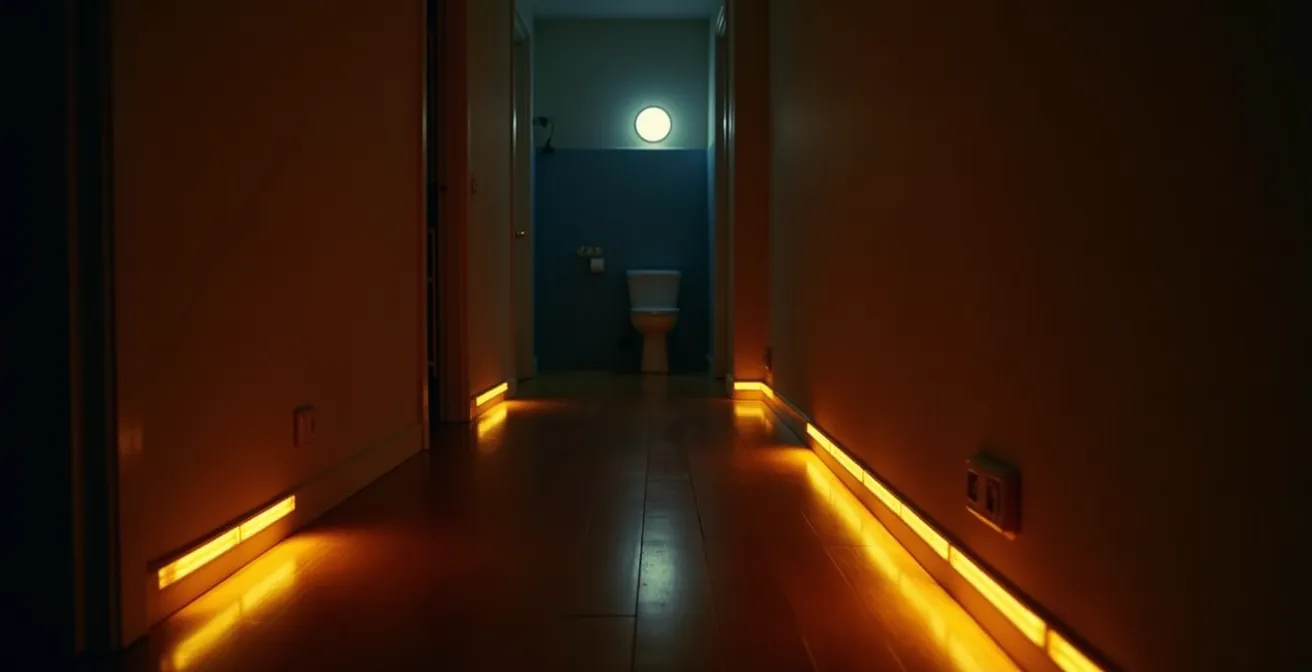
In contrast, a motion-sensor system is a passive solution. Small, inexpensive sensors placed along baseboards or on nightstands can trigger a path of low-level lights the moment your feet hit the floor. The operation is silent, automatic, and requires zero cognitive load. It works for you without you having to think about it. For nighttime navigation, where immediacy and non-disruption are key, motion sensors are ergonomically superior. The following table breaks down the key differences.
| Feature | Motion Sensors | Voice Control |
|---|---|---|
| Ease of Use at 3 AM | Automatic – no action required | Requires clear speech command |
| Response Time | Instant (< 1 second) | 2-3 seconds processing time |
| Disturbs Partner | Silent operation | May wake sleeping partner |
| Works During Power Outage | Yes (battery models) | No (requires internet/hub) |
| Cost | $15-50 per sensor | $30-100 for smart speaker |
| Installation | Peel and stick | Requires setup and Wi-Fi |
Why You Need Connected Smoke Detectors If You Have Hearing Loss?
A standard smoke detector emits a high-frequency sound that many older adults with age-related hearing loss simply cannot hear. This makes a conventional alarm a dangerously unreliable safety device. A connected, or “smart,” smoke detector addresses this issue by creating a multi-sensory alert system. It doesn’t just rely on a loud noise; it uses every tool at its disposal to get your attention in an emergency.
When a connected detector senses smoke or carbon monoxide (CO), it can trigger a cascade of alerts. It can flash your smart lights throughout the house, send an immediate notification to your smartphone and the phones of trusted family members or caregivers, and even announce the specific location of the danger (e.g., “Smoke detected in the kitchen”) through smart speakers. For those with significant hearing impairment, these systems can be integrated with specialized devices like a bed shaker, which vibrates powerfully to wake you from a deep sleep.
This is especially critical for detecting carbon monoxide, an odorless, colorless gas whose initial symptoms—drowsiness, headaches, and confusion—can be easily mistaken for signs of normal aging. A connected system doesn’t rely on you to notice the symptoms; it proactively alerts you and your support network to the danger. This network of interconnected alerts provides a robust safety net that a standalone, beeping detector can never match, ensuring that help is on the way even if you don’t hear the initial alarm.
The “Too Smart” Problem: Why You Should Avoid Hubs That Require a Smartphone App for Basics?
The promise of a smart home is simplicity, but many systems fall into the “too smart” trap, becoming overly complex and dependent on a single point of failure: the smartphone. For a senior with arthritis, navigating a small touchscreen, remembering passwords, and troubleshooting app connectivity can be more frustrating than the original problem. True ergonomic design prioritizes reliability and tactile control over feature-rich apps.
A well-designed system should use the smartphone for initial setup and advanced customization, but never for core, daily functions. The ability to lock your door, turn on a light, or adjust the temperature should be achievable through a physical, intuitive interface. As one case study on smart home accessibility notes, a 77-year-old with arthritis struggled with app-based controls but successfully used a system of simple, physical buttons. These devices, like the Flic button or Lutron Aurora dimmer, can be stuck to a wall or nightstand and programmed to execute commands like “Goodnight” (locking doors, turning off lights) with a single, satisfying press. This provides the benefits of automation without the cognitive load of a digital interface.
Case Study: The Power of the Physical Button
In a documented example focused on bridging the smart home gap for seniors, a user with arthritis found app-based lighting and lock controls to be a constant source of frustration. The solution was a system of simple, tactile smart buttons. One button placed by the bed was programmed for a ‘Goodnight’ scene, which locked the smart lock, turned off all house lights, and adjusted the thermostat. A second button by the front door initiated an ‘I’m home’ scene. This approach completely eliminated the need for smartphone interaction for daily routines, providing the user with reliable control and renewed independence.
When choosing a system, always look for physical redundancy. The best smart lock has a keypad with large, backlit, physical buttons. The best smart lighting system can still be operated by a wall switch. This focus on simple, reliable interaction is the key to unlocking the true potential of smart technology for aging in place.
Checklist for Choosing Senior-Friendly Smart Home Systems
- Ask: ‘Can this device work without internet?’ – prioritize local control systems that don’t rely on the cloud for basic functions.
- Check for physical control options beyond smartphone apps, such as keypads, remotes, or wall-mounted buttons.
- Verify if basic features, like remote unlocking or video history, require costly monthly subscriptions.
- Test if voice commands work with simple, natural language and don’t require precise, robotic phrasing.
- Ensure family members or a helper can set up complex features while keeping daily use dead-simple for the primary user.
What Happens to Your Smart Security When the Wi-Fi or Power Goes Out?
A common and valid fear regarding smart security is its reliability. What good is a keyless lock if a power outage or internet disruption leaves you locked out? This is where “fail-safe design” becomes the most critical feature to evaluate. A truly secure smart device is one that continues to function as a reliable, “dumb” device when its smart features are offline.
For a smart lock or keypad, this means two essential backup features. First is a mechanical key override. No matter how advanced the electronics are, you should always have a traditional key that can operate the lock. This is your ultimate fallback and should be stored securely outside the home or with a trusted neighbor. Second is a form of backup power. Many smart locks will alert you weeks in advance when their internal batteries are low. However, in case of a complete battery failure, look for models that have a terminal on the exterior—often two small contacts at the bottom—where you can temporarily power the lock by holding a 9V battery against it. This gives you just enough power to enter your code and get inside to replace the internal batteries.
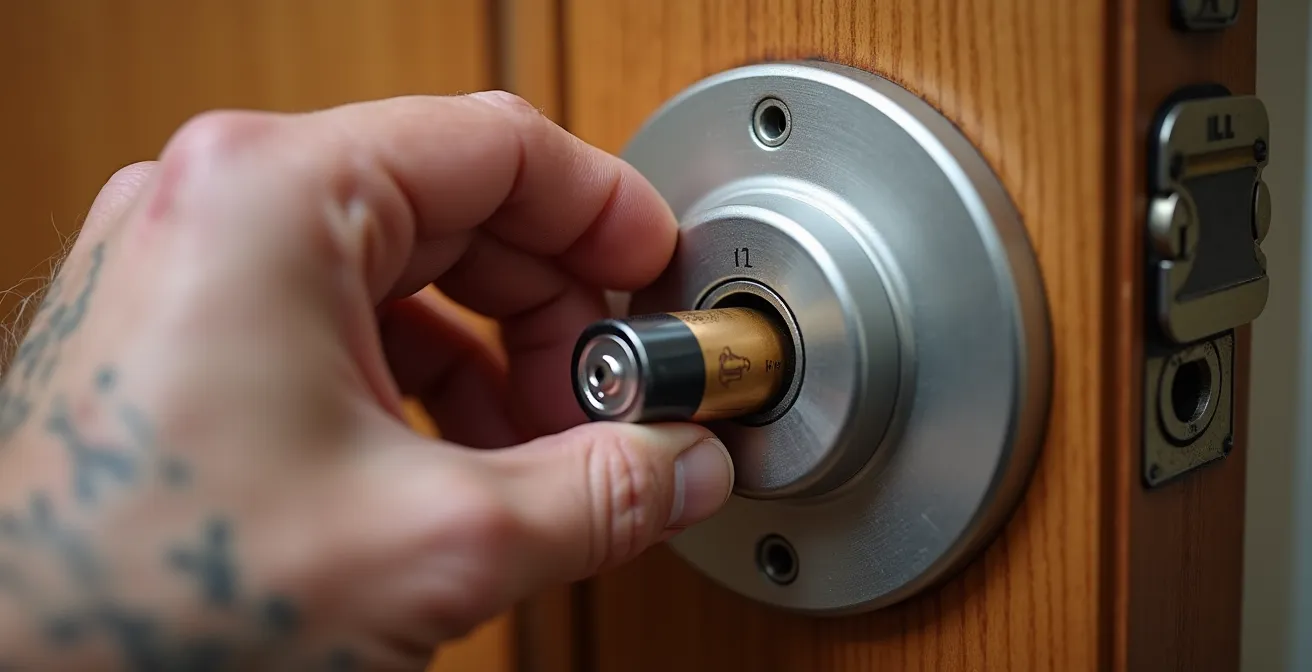
It’s crucial to understand which functions rely on Wi-Fi. Most keypads will store the access codes directly on the device itself. This means that even if your internet is down, you can still unlock your door using your code. However, features like remote unlocking via an app, receiving entry notifications, or creating temporary codes on the fly will not work. When choosing a device, prioritize local functionality over cloud-dependent features for core security.
How to Configure Smart Speakers so They Are Not “Listening” All the Time?
Smart speakers offer incredible hands-free convenience, from setting reminders to controlling lights. However, the idea of an always-on microphone in the home is a significant privacy concern for many users. Fortunately, you have several layers of control to ensure these devices are only listening when you want them to be.
The simplest and most effective tool is the physical mute button located on the top of every major smart speaker (like Amazon Echo or Google Home). Pressing this button physically disconnects the microphone’s circuit. The device will typically display a red or orange light to give you a clear, visual confirmation that it is not listening for a wake word. This is not a software setting that can be hacked; it is a hardware-level cutoff that provides absolute certainty.
Beyond the mute button, you have control over your data. Through the Alexa or Google Home app, you can navigate to the privacy settings and review your entire voice history. You have the option to listen to past recordings and delete them individually or all at once. For greater peace of mind, you can configure the system to automatically delete recordings after a set period (e.g., every 3 months). It’s also wise to place speakers away from televisions or radios to prevent accidental activations from words that sound similar to the wake word.
Smart home technology works best when it’s easy to use, integrated into daily routines, and tailored to the senior’s unique needs.
– Care Indeed, How to Set Up a Smart Home for Your Aging Parents
Ultimately, a smart speaker’s value is determined by user trust. By using the physical mute button during sensitive conversations and regularly managing your voice data, you can enjoy the benefits of voice control without sacrificing your sense of privacy.
Apps vs. Word of Mouth: Where to Find Vetted Help for Small Jobs?
Smart technology often requires installation or small home modifications, from mounting a video doorbell to changing a hard-to-reach lightbulb. Finding reliable help for these small jobs presents a modern dilemma: should you trust a slick app like TaskRabbit or rely on traditional word-of-mouth networks?
Apps offer a compelling set of safety features. They typically provide background checks on their service providers (“Taskers”), handle payments securely so you never have to share financial information directly, and often include insurance to cover any damages. This provides a formal layer of protection that is absent when hiring an informal handyman. However, these platforms can feel impersonal, and you have little control over who is assigned to your job.
On the other hand, traditional community networks offer a different kind of security: personal accountability. Local senior centers, community “Villages,” and your local Area Agency on Aging often maintain lists of pre-vetted service providers who have a track record of working with older adults. As research from Senior Consulting Advisors in Florida found, the vast majority of seniors preferred recommendations from their local senior center over an app. The reason is trust. A provider who relies on their local reputation is often more accountable and familiar with the specific needs of aging-in-place modifications than a random gig worker from a national platform.
The best approach may be a hybrid one: use local, trusted recommendations for work inside your home, and consider apps for outdoor or less sensitive tasks. Regardless of the source, always ask for proof of general liability insurance and avoid anyone who pressures you for cash-only payments or immediate decisions.
Key Takeaways
- True accessibility in smart tech is measured by low “interaction cost”—the physical and mental effort required for daily use.
- Prioritize devices with tactile, physical controls (like buttons) and avoid systems that rely solely on smartphone apps for basic functions.
- A reliable system must have “fail-safe” features, including a mechanical backup (like a key) and the ability to function locally during power or Wi-Fi outages.
Why 80% of Seniors Refuse to Wear Their Alert Button Even After Buying It?
The personal emergency alert button, often worn as a pendant or wristband, is the classic piece of senior safety tech. Yet, studies and anecdotal evidence consistently show a staggering rate of abandonment. Even after a concerned family member makes the purchase, the device often ends up in a drawer. The reasons are deeply rooted in human psychology and ergonomic design, serving as a powerful lesson for all smart technology.
The primary barrier is stigma and identity. A bulky, clinical-looking pendant is a visible symbol of frailty and dependence. It broadcasts a message of “I am old and might fall,” which conflicts with a senior’s desire to maintain their sense of independence and self-sufficiency. It’s a constant, physical reminder of a vulnerability they would rather not focus on.
Beyond stigma, there is the issue of practical inconvenience. Many traditional devices are not waterproof, requiring removal for showering—a high-risk time for falls. Others are uncomfortable to sleep with or simply get in the way of daily activities. If a device is not seamlessly integrated into a person’s life, it will inevitably be set aside. This is why a new generation of alert systems is moving away from the dedicated, single-function button and toward more discreet and passive solutions. These alternatives are more likely to be used because they are either stylish or invisible:
- Stylish Smartwatches: Devices from Apple and others integrate sophisticated fall detection into a product that is socially desirable and provides many other functions (telling time, checking weather). There is no stigma attached.
- Passive Motion Sensors: Instead of requiring the user to do anything, these systems learn daily routines and can send an alert to a caregiver if, for example, there has been no movement in the kitchen by 10 AM.
- Voice-Activated Systems: Integrating “call for help” commands into smart speakers placed throughout the home allows a user to call for assistance without wearing any device at all.
The failure of the traditional alert button teaches a crucial lesson: the best safety device is the one that gets used. This is achieved not by adding features, but by removing barriers—whether they are physical, social, or psychological.
Frequently Asked Questions about Senior Smart Home Technology
Can smart smoke detectors connect to bed shakers?
Yes, many connected smoke detectors can trigger specialized bed shakers designed for the hearing-impaired, ensuring you wake up even from deep sleep during an emergency.
Do these systems work without internet?
Some smart smoke detectors maintain basic local functions during internet outages, but remote notifications to caregivers require an active connection.
What’s the difference between smoke and CO detection?
Many connected detectors are combination units that detect both smoke and carbon monoxide, with CO symptoms often mistaken for normal aging signs like drowsiness or headaches.
What insurance should I verify before hiring someone for installation?
Always verify the service provider has general liability insurance and bonding. If they are a licensed contractor, they should also provide proof of workers’ compensation insurance to protect you from liability if they are injured on your property.
What are red flags when hiring help?
Be wary of providers who demand cash-only payments, pressure you for an immediate decision, refuse to provide a written estimate, or show up unsolicited at your door claiming to have noticed work that is needed on your home.